VLC PLAYLIST · OBS STUDIO 32.0.4
OBS-PlaylistDock Playlists
Your media. One playlist dock.
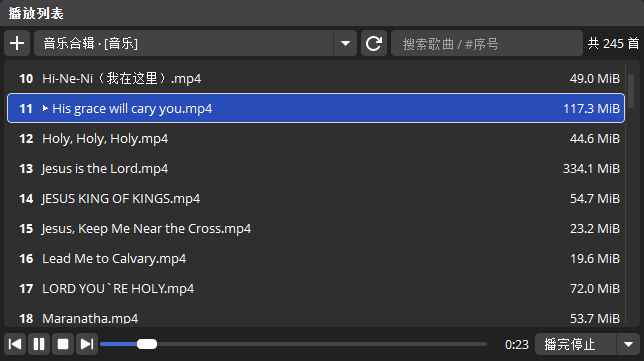
Control native OBS VLC sources with search, ordering, and playback in one compact dock.
- Version
- 1.2.0
- OBS
- 32.0.4
- Platforms
- Windows x64 · Apple silicon Mac
- Languages
- Simplified Chinese · Traditional Chinese · English
Features
Playlists and playback
In use
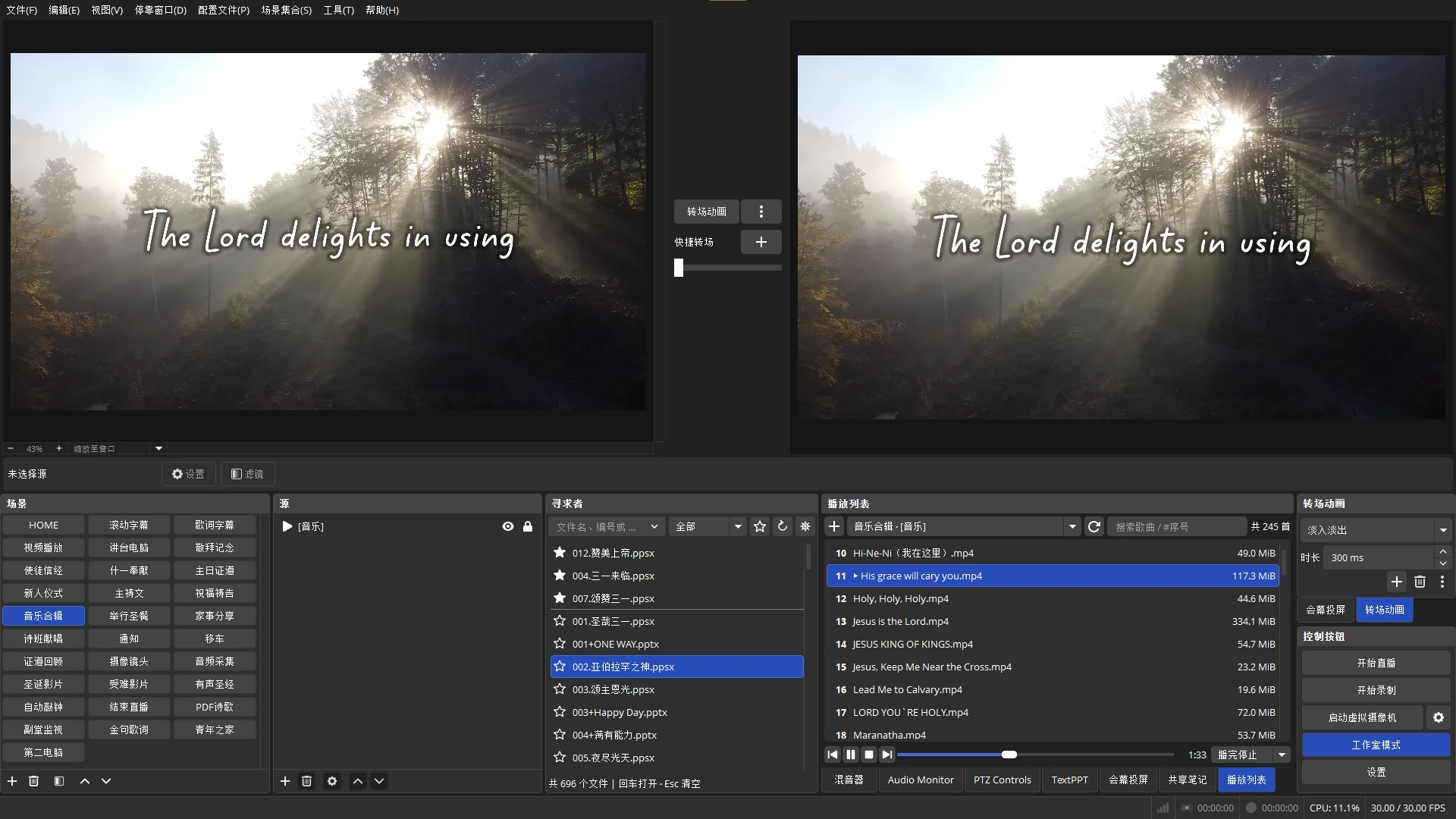
Playlists inside OBS
Get started
Start in three steps
- Install the plugin
Close OBS, fully extract the ZIP, and run the installation script.
- Choose a source
Open Docks → Playlist and choose an existing VLC Video Source.
- Start playback
Double-click a track, or search and press Enter. Right-click to manage the list.
Free download · 1.2.0
Choose your platform
Requires OBS Studio 32.0.4 and VLC. Close OBS and fully extract the ZIP before installing.
Windows x64
Windows ZIP ↓Run install_OBS-PlaylistDock.bat and grant administrator permission when prompted.
Installs in the system OBS plugin folder.
macOS Apple silicon · ARM64
Mac ZIP ↓Open a terminal in the extracted folder and run:
bash ./install_OBS-PlaylistDock.sh
Installs in the current user's OBS plugin folder and removes quarantine attributes.