SCENE SCRIPTS · OBS STUDIO 32.0.4
OBS-ScenePad Scene scripts
Edit and prompt.
Follow every scene.
Keep a separate script for each scene. Edit and prompt in OBS, or read on a computer or phone over your LAN.
- Version
- 3.0.0
- OBS
- 32.0.4
- Platforms
- Windows x64 · Apple silicon Mac
- Languages
- Simplified Chinese · Traditional Chinese · English
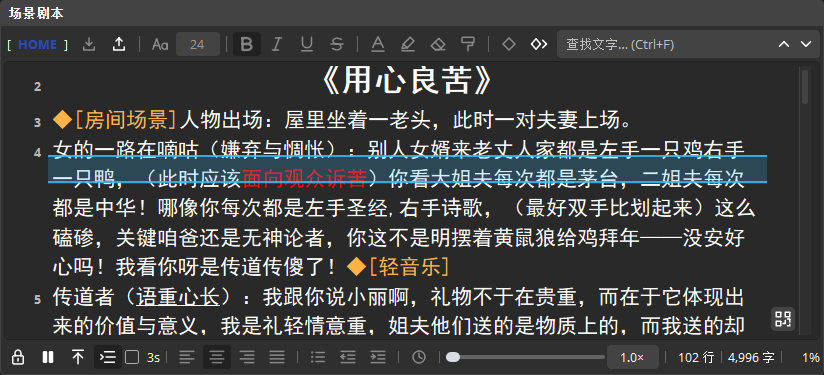
Features
Write, navigate, and prompt
In use
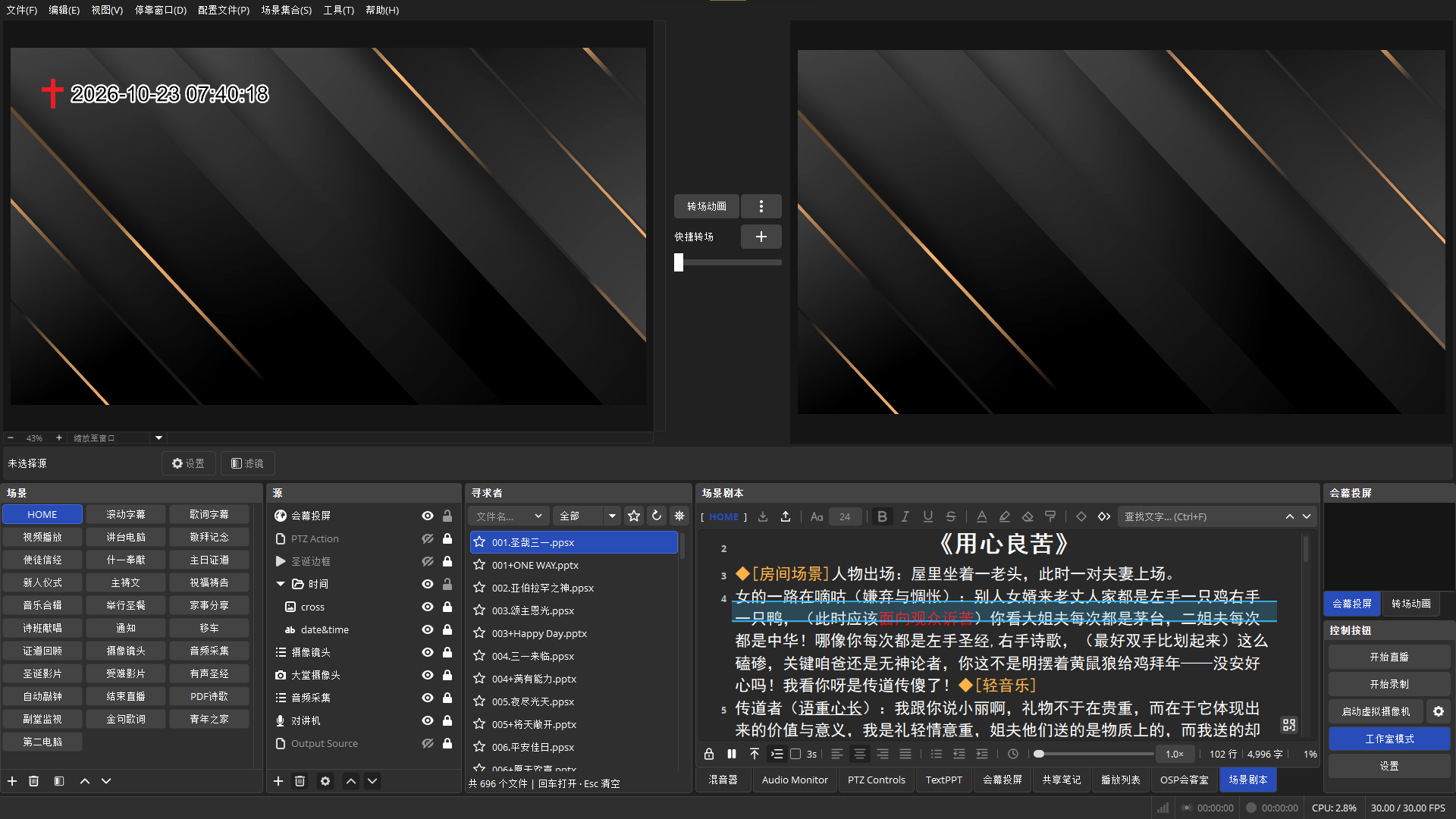
Part of your OBS workspace
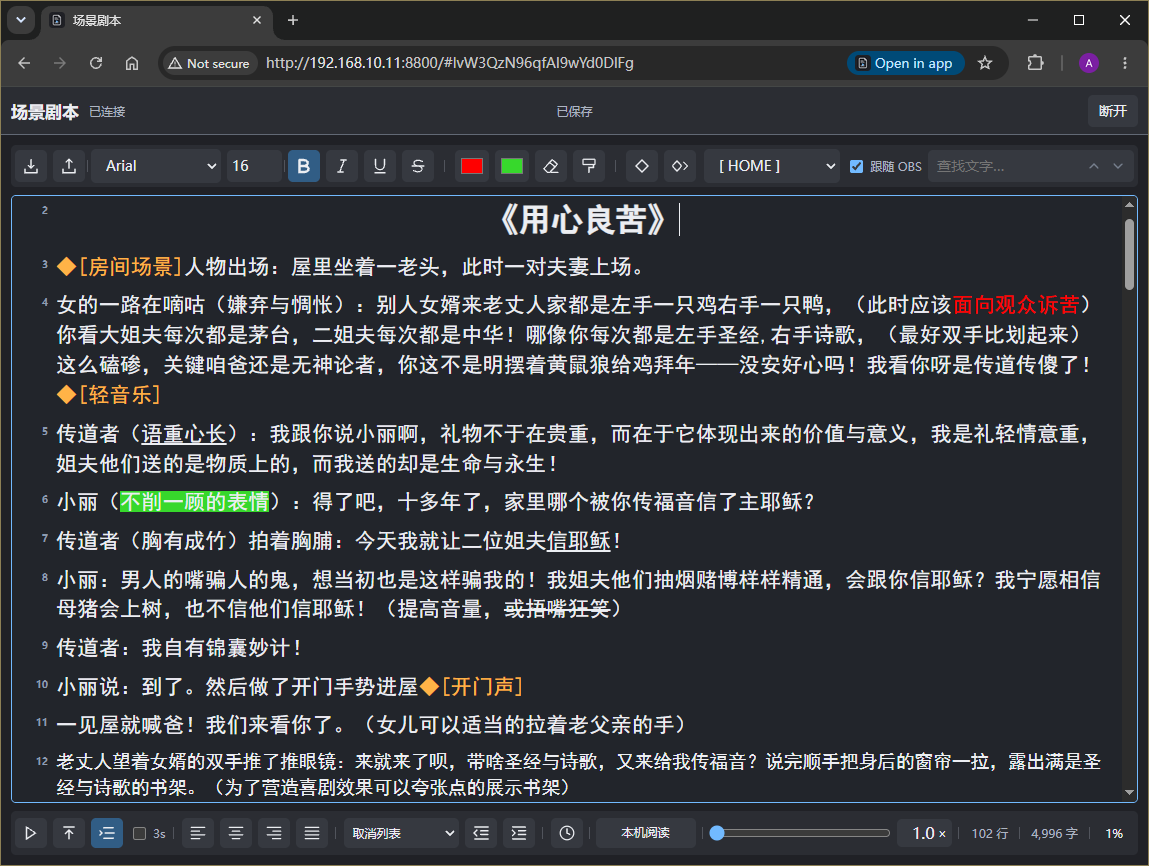
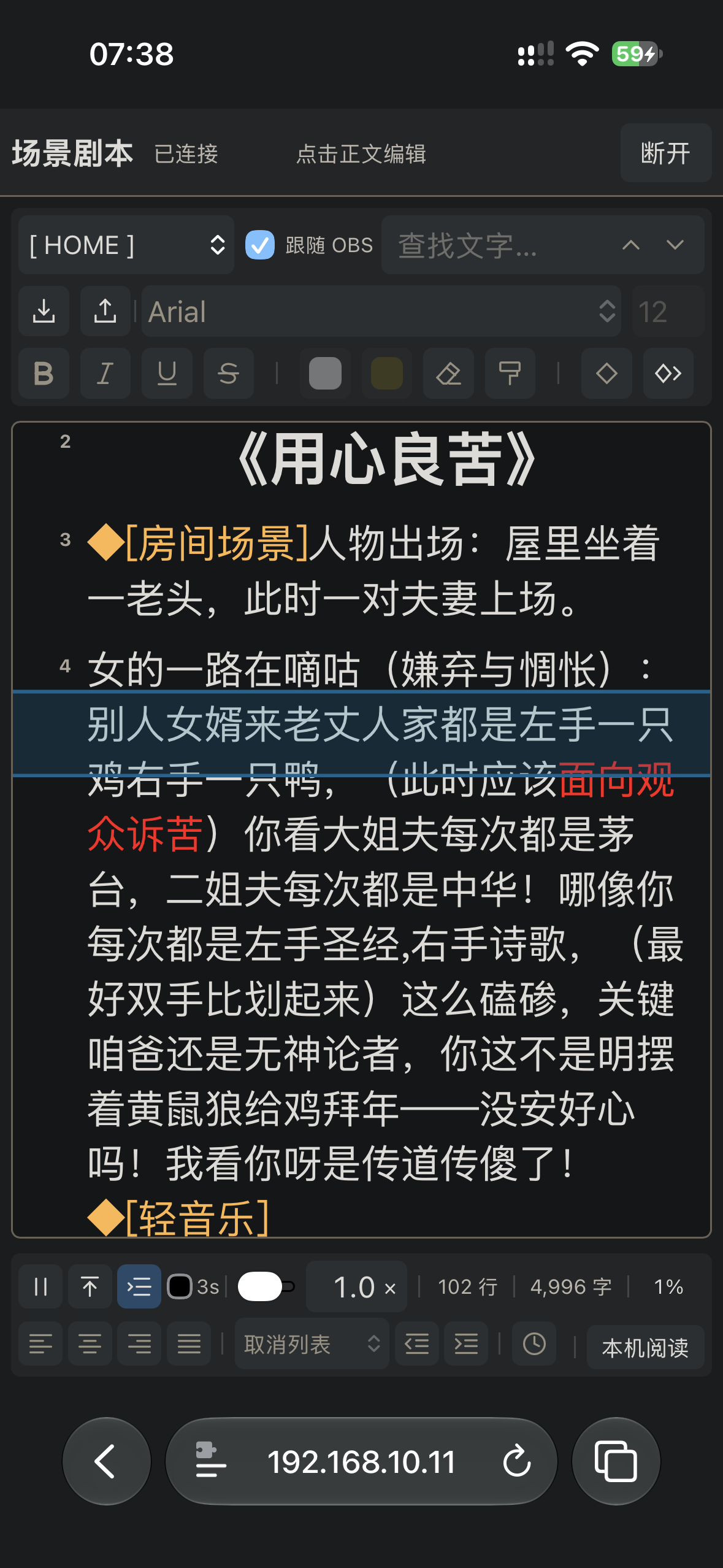
Browser
One script. Computer or phone.
Connect on the same LAN with a link or QR code. Follow OBS scenes, edit rich text, use the painter, or prompt independently. Select text for a character count; OBS locking makes the browser read-only.
Get started
Start in three steps
- Install the plugin
Close OBS, fully extract the ZIP, run your platform's installation script, and restart OBS.
- Edit your script
Open Docks → ScenePad, unlock it, and write or import your script. Enable auto-scroll as needed.
- Connect a browser
Enable OBS WebSocket password authentication, then turn on LAN access under “Remote access” in the plugin's context menu. Click the QR icon at the lower right of the text area to copy the link, or scan the code.
Free download · 3.0.0
Choose your platform
For OBS Studio 32.0.4. Close OBS and fully extract the ZIP before installing.
macOS Apple silicon · ARM64
Mac ZIP ↓Open a terminal in the extracted folder and run:
bash ./install_OBS-ScenePad.sh