The cloud edition runs the console, content management, and display on a deployed server. Open your dedicated address and enter the access password to prepare and project content without installing a client on each device.
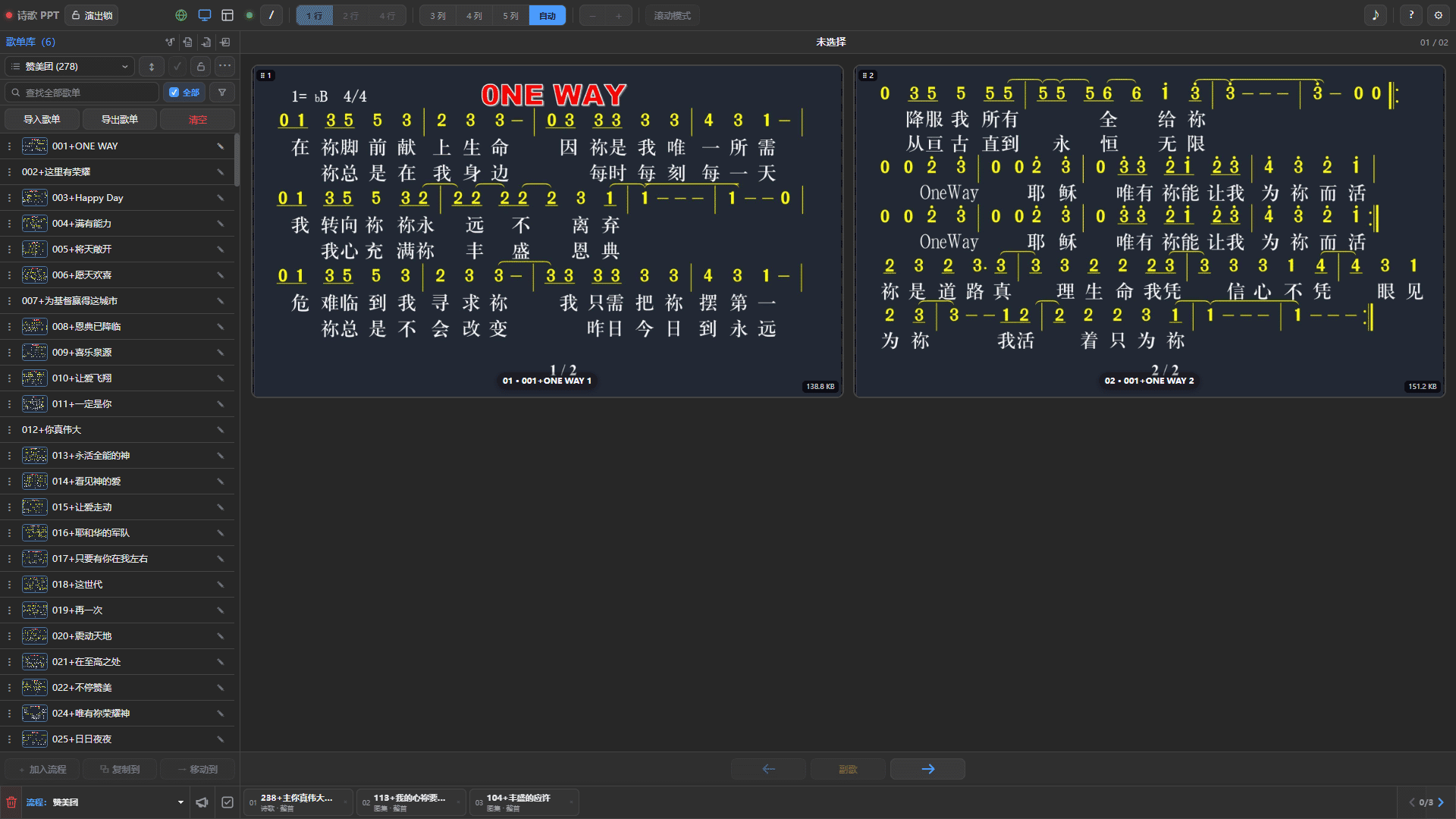
One address, multiple devices
Computers, phones, and tablets can access the same instance through modern browsers. Use a computer to prepare scripture, hymns, sermons, and rundowns; use a phone or tablet during a service to change content, control scrolling, and check the current display.
- No client installation or maintenance on each device.
- Shared content and display status across devices.
- Access through a domain and HTTPS without exposing a server port to users.
- Separate entry points for the display, console, newcomer registration, and music remote.
Centralized updates
The cloud edition runs centrally on the server. After an upgrade, refresh the browser to use the new version instead of copying or replacing programs on each device. This simplifies maintenance for teams with multiple volunteers, control devices, or dedicated streaming computers.
Browsers may retain a small interface cache. A refresh after an update normally suffices and does not affect instance data on the server.
Independent instances
A server can host separate instances for churches, meeting locations, or teams, each with its own address. Settings, playlists, favorites, sermons, galleries, and rundowns stay separate.
Instances can be enabled, disabled, or assigned storage independently. Stopping one does not affect the others, allowing one server to serve multiple teams.
Easier remote collaboration
The cloud edition is not limited to one LAN. Authorized volunteers can prepare service content from different locations, then on-site operators open the same instance to continue.
Common uses include:
- preparing rundowns and task notes in advance;
- searching scripture, managing playlists, and editing numbered notation online;
- sharing a newcomer registration link or QR code;
- controlling music and projection from phones and tablets;
- synchronizing the current display across control devices.
Connect directly to OBS
The cloud display is still a web page and can be used as an OBS Studio browser source. The console selects content; the display outputs it. Their separate addresses keep control buttons out of the broadcast.
With a stable domain, OBS can keep using the saved display address. When changing control computers, reopen the console without migrating complicated display settings.
Offline and online use
| Item | Windows edition | Cloud edition |
|---|---|---|
| Access | Local program | Online browser |
| Network | Offline and LAN use | Connection to the deployed server required |
| Data location | Current computer | Its own cloud instance |
| Remote control | Primarily on the same LAN | Online through an authorized address |
| Updates | Replace the local program | Central server update |
Windows suits services that need to run locally or have unreliable connectivity. The cloud edition suits multiple devices, multiple volunteers, and remote collaboration. Core operation is consistent between editions, so choose for your environment.
Before using the cloud edition
The cloud edition depends on its server and network connection. Before a service, check the network, domain, and display address. Set an instance-specific password and share the control address only with trusted volunteers. Public newcomer registration should have a separate password.
If venue connectivity is unreliable, prepare the Windows edition or another local fallback.
Request cloud access
Contact andy.iesv@gmail.com with your church or team name and requirements. Do not send name lists, passwords, or private files.
Requests are handled by email; no online application form is currently available. Cloud Mishkan is provisioned as a separate service with a dedicated address. The MSIX client's local features remain unchanged.