Mishkan Dock separates the console from the display. Use the console to select, organize, and switch scripture and hymns; the display shows only the content intended for projection or streaming.
1. Open the console
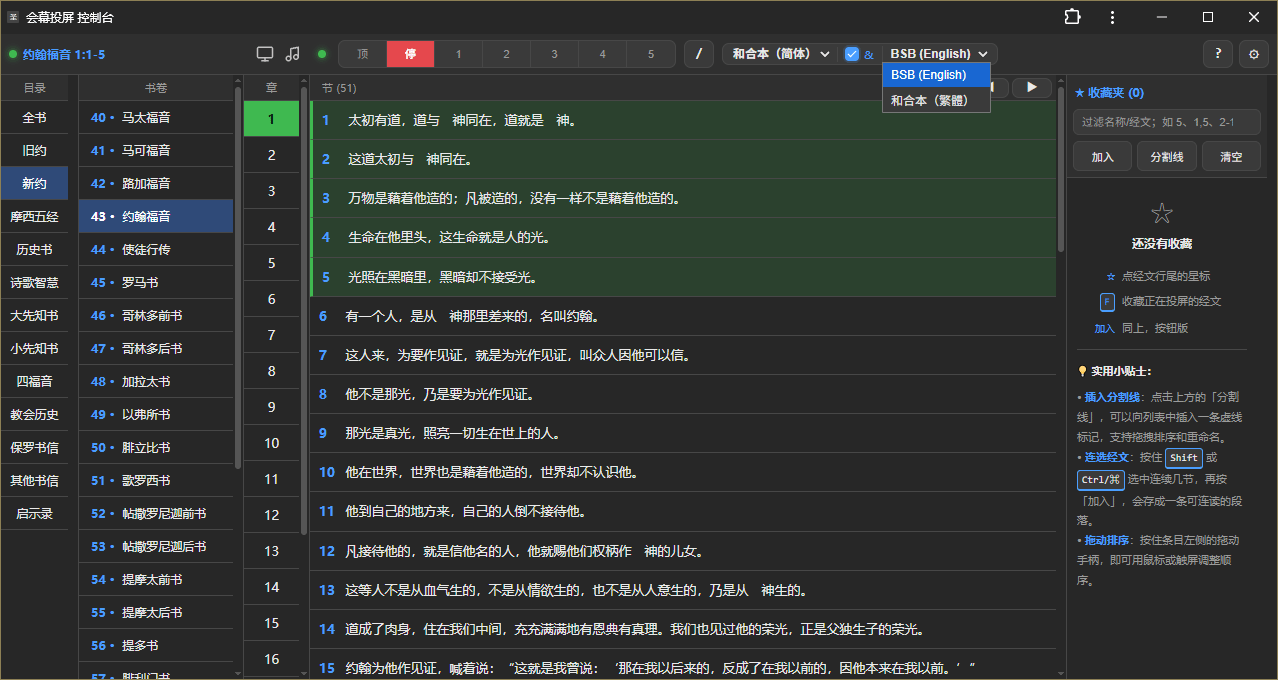
Starting the program opens the local console in your browser. Bible categories, books, and chapters appear on the left, with the current chapter's verses in the center.
If the browser does not open, find the local control address in the program window. By default, only the current computer can access it.
2. Select and display scripture
Choose a book, chapter, and verse. Click a verse to display it, or select consecutive verses to show a passage together.
The top controls also provide quick actions:
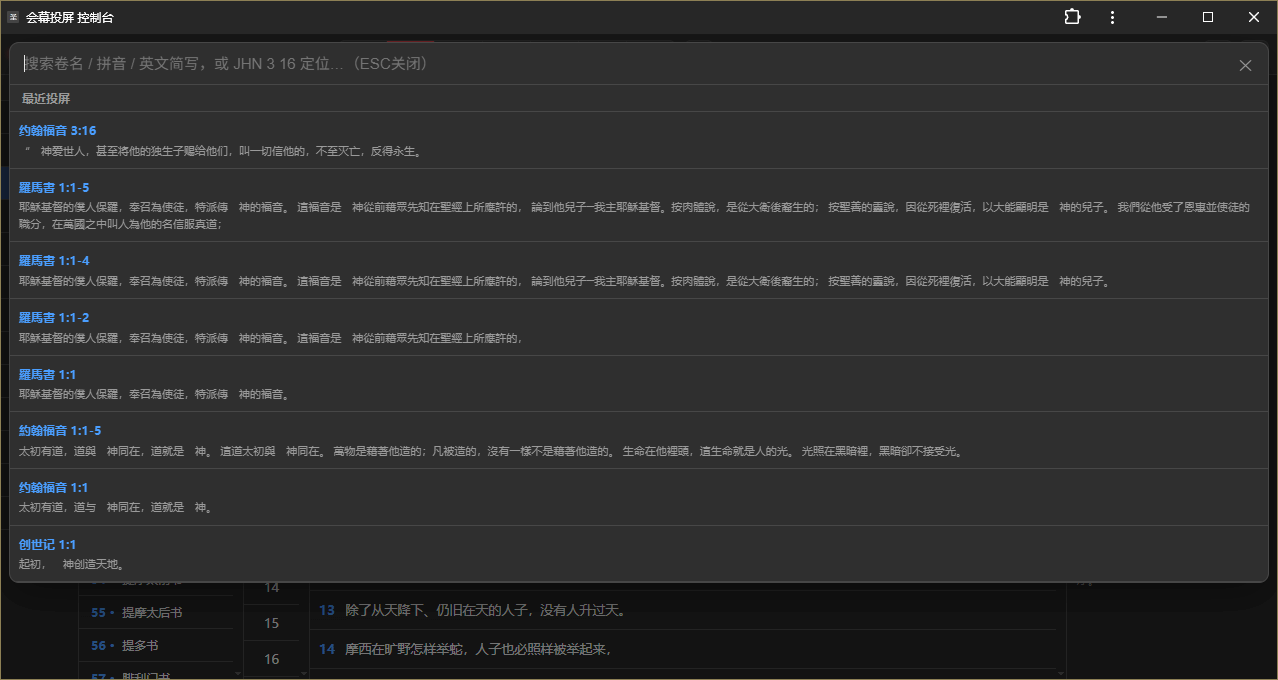
顶(Top): return the passage to the beginning;停(Stop): stop auto-scroll;1–5: choose a scrolling speed;/: open quick scripture navigation;B: toggle blackout;Esc: clear the current display.
3. Open the display
The display is intended for a projector, second monitor, or OBS browser source. It contains no control buttons.
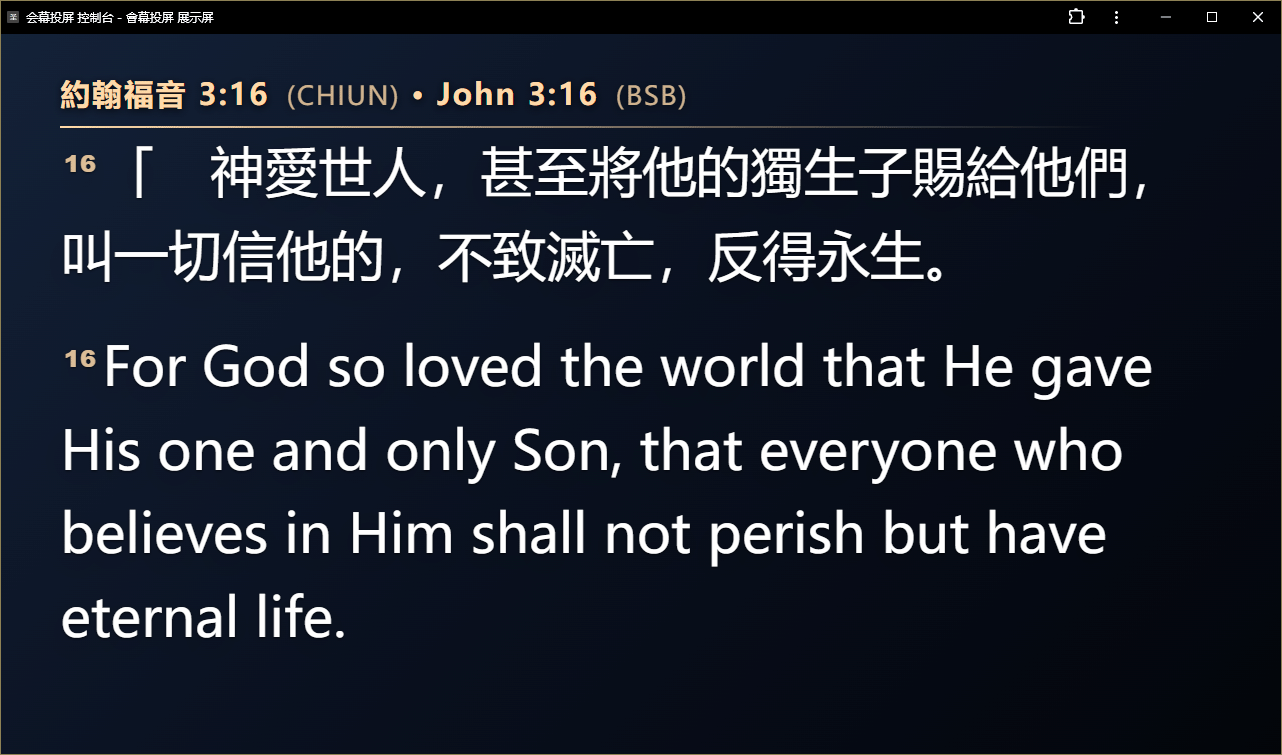
Display settings let you adjust fonts, colors, shadows, alignment, position, transitions, and scrolling speed.
4. Prepare favorites in advance
Before a service, add the passages you need to favorites. Reorder, separate, and lock them to match the sermon or service plan.
Prepare passages before the service and lock confirmed items to avoid accidental deletion.
Next, read Add the display to OBS to connect your broadcast output.
If OBS Studio is not installed, use the official download or a Windows 10+ terminal:
Latest OBS: winget install -e --id OBSProject.OBSStudio
OBS 32.0.4: winget install -e --id OBSProject.OBSStudio --version 32.0.4
Alternative OBS Studio download
Google Chrome